
You hand an attendee a printed card asking them to leave feedback, and watch them stare at a printed URL they will never actually type into their phone. The friction between physical print and digital action kills conversion rates for both event attendance and reputation management. Bridging that gap requires a scannable asset that routes a smartphone camera directly to a specific action. A well-configured invitation qr code eliminates manual data entry, but deploying one effectively means understanding exactly how dynamic redirects, parameter tracking, and print specifications determine whether that code actually works in the real world.
Quick Summary
Deploying scannable assets for events and reputation management requires structuring precise landing page parameters before generating the final image. This guide covers how to route users directly to digital forms and review modals without intermediate steps.
- Separate event registration and feedback collection into entirely distinct landing pages.
- Utilize dynamic routing so destination URLs can be updated after the physical assets are printed.
- Format Google Place ID links to trigger the review modal instantly upon scanning.
- Maintain strict contrast ratios and minimum physical dimensions during the printing phase.
Table of Contents
- 1. Determine the Primary Function of Your Asset
- 2. Generate an RSVP Card With QR Code
- 3. Build a Google Review Card With QR Code
- 4. Distinguish Between a Personal QR Code and a Business QR Code
- 5. Test and Deploy the Assets Across Touchpoints
- Common Pitfalls & Troubleshooting
- FAQ
- Recommended Reads
1. Determine the Primary Function of Your Asset
The foundational rule of routing physical traffic to digital endpoints is isolation: one code must equal one intended action. When organizers attempt to combine event details, menu selection, and post-event feedback into a single sprawling landing page, the user is forced to navigate a menu just to complete a simple task. This friction causes immediate abandonment. You must decide whether the physical card you are printing is meant to pull people into an event or extract feedback from people who have already experienced your service.
Mechanically, this means mapping out the user journey before generating the image matrix. A registration flow requires a form endpoint capable of capturing names, dietary restrictions, and plus-one counts. A feedback flow requires a direct link to a third-party platform's rating submission modal. If you attempt to serve both functions from a single scan, you dilute the call to action. People scanning a card at a restaurant table expect a fast, distinct action. Understanding the nuances of deploying QR codes for event management and feedback allows you to build specific pathways that do not overlap or confuse the end user.
Practical rule: Never place two scannable codes next to each other on the same physical surface, as modern smartphone cameras will struggle to isolate which data matrix to process.
The mistake practitioners make here is using a static code generator for a temporary event. A static code hardcodes the destination URL directly into the black and white squares. If the registration platform changes its URL structure, or if you notice a typo in the link after sending the files to the printer, a static code cannot be salvaged. The physical cards become instantly useless. Always employ a dynamic generator that points to a routing server, which then immediately forwards the user to the target URL. This abstraction layer allows you to change the destination at any time without reprinting the cards.
2. Generate an RSVP Card With QR Code
Snail mail delays vanish the moment an invitee scans a physical invitation card. Instead of waiting weeks for mailed responses, organizers receive real-time database updates. To make this work, the underlying architecture relies on a structured digital form hosted on a reliable server. The form must be mobile-optimized, as the entirety of the traffic generated by the scan will arrive via a smartphone browser.
The mechanics of this setup require generating a dynamic link that points to your registration platform. You must ensure that the form itself is lightweight, loading in under two seconds on a standard cellular connection. If the page contains massive uncompressed hero images or requires the user to create an account before RSVPing, the drop-off rate will spike. The destination URL should ideally include UTM parameters if you are sending out different batches of invitations, allowing you to track which specific demographic or mailing list is responding fastest.
The most common failure in this step is printing the cards before finalizing the digital form's permissions. Organizers frequently build forms inside enterprise software or private digital workspaces, failing to realize the endpoint requires a login credential to view. When the invitee scans the card, they hit a "Request Access" wall instead of an RSVP form. Always test the destination link in a strictly incognito or private browsing window on a mobile device to verify that the form is publicly accessible to anyone who holds the physical invitation.
3. Build a Google Review Card With QR Code
Reputation management relies heavily on capturing customer sentiment at the exact moment of satisfaction. Handing a satisfied client a physical reminder is effective, but only if the friction of leaving the review is entirely eliminated. A google review card with qr code must not simply drop the user onto your website's homepage, nor should it drop them onto the generic search results for your business. It must trigger the actual review input modal to open immediately upon scanning.
To execute this mechanically, you must extract your specific Place ID from the Google Maps API. By appending this Place ID to the standard Google review URL structure, you create a deep link. When a smartphone processes this deep link, it bypasses the standard business profile overview and directly prompts the user with the star-rating selection interface. This reduction in clicks is the sole reason these cards succeed. Structuring feedback links effectively ensures that the user is not forced to hunt for the "Write a Review" button on a mobile screen.
People frequently ruin this implementation by changing their core business name or moving physical locations without understanding how it affects their Place ID. If your Google Business Profile is suspended or merged, the specific deep link tied to that code will break, resulting in a 404 error when scanned. Furthermore, printing instructions that are too vague ("Tell us how we did!") fails to clarify that the scan will take them to a public platform. The card should clearly state "Review us on Google" so the user understands the destination and has the appropriate app or account ready.
4. Distinguish Between a Personal QR Code and a Business QR Code
The data payload dictates the format. You cannot treat an individual's contact exchange asset the same way you treat a corporate marketing endpoint. A personal qr code is typically utilized to share an individual's vCard (VCF) data. When scanned, it prompts the phone's native contact book to download a file containing a name, direct phone number, personal email, and individual social handles. It is a closed, one-to-one transfer of static data designed to populate an address book instantly.
Conversely, a business qr code is almost always a URL routing mechanism. It points to a centralized landing page, a product catalog, a booking calendar, or a corporate link-in-bio hub. The business asset is designed for one-to-many distribution and relies on an internet connection to load external assets, whereas a vCard payload can actually be processed offline since the data is encoded directly into the matrix itself. Setting up dynamic digital profiles requires understanding whether you are trying to hand someone your direct phone number or push them into a sales funnel.
The mistake professionals make is using a static vCard format for a business asset, or vice versa. If you encode a vCard statically, and your phone number changes six months later, every card you handed out is now routing people to a dead line. If you are operating a business, you need the flexibility to update links, operating hours, and promotional campaigns. Always use a dynamic URL structure for business applications, reserving raw vCard payloads only for highly specific, short-term personal networking where offline functionality is strictly required.
5. Test and Deploy the Assets Across Touchpoints
Deployment is a physical manufacturing challenge. A scannable matrix is useless if the printer's ink bleeds, destroying the quiet zone (the mandatory blank margin around the code), or if the contrast between the modules and the background is too low for an optical lens to decipher in dim lighting. Testing must happen across multiple devices, operating systems, and physical lighting environments before mass production begins.
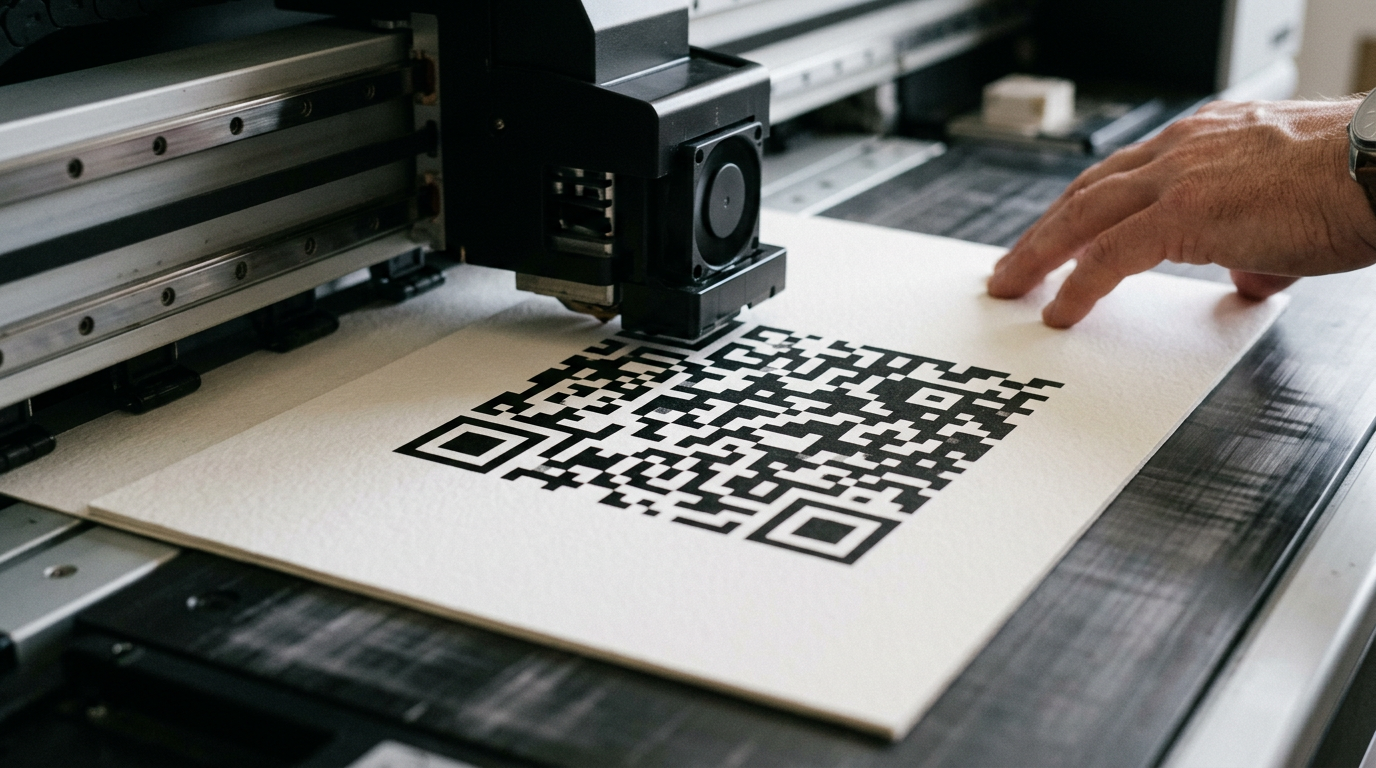
Mechanically, you must export the code from your generator in a vector format, typically SVG or EPS. Raster formats like JPG or PNG will pixelate and blur when scaled or sent through professional offset printing presses. The physical size of the printed code must adhere to strict mathematical rules based on the scanning distance. For a card held in a hand, the absolute minimum size is 0.8 x 0.8 inches. Anything smaller requires the user to awkwardly hunt for focus with their camera. Understanding minimum print sizes for scannability prevents the expensive mistake of receiving thousands of unusable physical cards.
The failure mode here is aesthetic over-optimization. Designers often attempt to make the code "blend in" by changing the dark modules to a light gray or overlaying heavy brand patterns across the matrix. Smartphone cameras rely on stark, high-contrast module detection to establish the alignment patterns (the three large squares in the corners). If you invert the colors - making the background dark and the code light - many older Android devices will simply fail to recognize the image as a readable code. Always maintain dark modules on a light, solid background to ensure universal optical compatibility.
Common Pitfalls & Troubleshooting
Deploying these assets involves bridging physical print with digital routing, creating specific failure points that look identical to the user (a failed scan) but require different technical fixes.
The Code Scans but Leads to a 404 Error
Symptom: The camera recognizes the code and opens the browser, but the destination page says "Not Found." Diagnosis: The dynamic routing link has expired, or the destination URL was changed in your CMS without updating the redirect rules in your code generator. This is the most common cause of failure. Fix: Log into your dynamic generator dashboard and update the destination URL to the live page. Do not reprint the physical cards.
The Camera Refuses to Recognize the Matrix
Symptom: Holding the phone over the printed card results in no popup or reaction from the native camera app. Diagnosis: This is a physical printing failure. Either the code was printed too small (under 0.8 inches), the contrast is too low (e.g., yellow ink on white paper), or the "quiet zone" margin around the code was cropped off during cutting. Fix: You must redesign the physical asset. Increase the contrast to black-on-white, scale the vector image up, and ensure a minimum 4mm clear border around the outside of the data matrix.
The Review Link Opens the Business Profile but Not the Review Form
Symptom: Scanning the review card opens Google Maps, but the user has to manually scroll and click to leave a star rating. Diagnosis: You linked to the standard Google Maps sharing URL instead of utilizing the specific Place ID deep link structure. Fix: Retrieve your exact Place ID from the Google Maps developer tool and append it to https://search.google.com/local/writereview?placeid=. Update your dynamic link destination to this new, precise URL.
RSVP Form Requires a Login
Symptom: Users scan the invitation and are prompted to "Sign In" to Google or Microsoft to view the document. Diagnosis: The form builder permissions are restricted to your internal organization or require authenticated user sessions to view. Fix: Access the sharing settings of your form provider and change the visibility to "Anyone with the link can view/edit." Verify by testing the link on a device entirely disconnected from your corporate network.
FAQ
Do dynamic QR codes expire after a certain time?
Dynamic codes themselves do not technically expire, but the routing service hosting the redirect might. If you use a free tier on a commercial generator platform, they often disable the redirect after a set number of scans or a specific time limit. Always confirm the operational limits of your provider.
Can I track how many people scanned the invitation?
Yes, provided you use a dynamic link. The server handling the redirect logs the time, location, and device operating system of every "click." If you use a static code, you can only track scans by placing UTM parameters on the destination URL and reading them in your own web analytics software.
Why does my vCard download fail on iPhones but work on Android?
Different operating systems handle VCF file headers differently. If your server forces a web-page render rather than an explicit file download trigger, iOS Safari will display raw text instead of prompting the contact book. Ensure your hosting environment serves the file with the correct MIME type.
Is it possible to put a logo inside the code without breaking it?
Yes, due to the Reed-Solomon error correction algorithm built into the matrix standard. A code set to high error correction (Level H) can sustain up to 30% graphical damage. However, placing a logo directly over the three critical alignment squares in the corners will permanently destroy scannability.