
The most common misconception about digital networking is that a contact card is simply a static .vcf file hosted on a random server and shared via an email attachment. In reality, relying on a static file means that the moment your phone number or title changes, every previously shared link or downloaded file becomes an active liability, routing potential clients to dead ends. When professionals set out to create business cards for modern environments, they must architect a system: a dynamic data payload, a delivery mechanism natively supported by mobile operating systems, and an engagement layer that captures the recipient’s information in return. You are building a digital infrastructure, not just a document.
Quick Summary
A modern digital business card relies on dynamic QR codes and mobile wallet integration rather than static files. Creating one involves choosing a mobile-optimized landing page for your payload, generating dynamic QR codes for physical deployment, and leveraging Apple Wallet or Google Wallet for immediate digital distribution.
- Use dynamic QR codes routing to a central bio page so contact data can be updated server-side.
- Issue native passes for Google Wallet and Apple Wallet to ensure offline accessibility.
- Implement lead capture forms directly on your digital profile to receive information back.
- Standardize variable data across teams using bulk management platforms to avoid brand fragmentation.
Table of Contents
- 1. Structure the Contact Payload
- 2. Generate the Distribution Layer
- 3. Design the Physical and Digital Trigger
- 4. Implement Analytics and Capture Mechanisms
- Common Pitfalls & Troubleshooting
- FAQ
- Recommended Reads
1. Structure the Contact Payload
When you decide to make a business card for digital deployment, the first requirement is defining where the data lives. A static vCard (.vcf file) encoded directly into a QR code has a hard limit: it cannot be updated once printed. Instead, the payload should be a mobile-optimized landing page – often structured as a comprehensive link-in-bio profile.
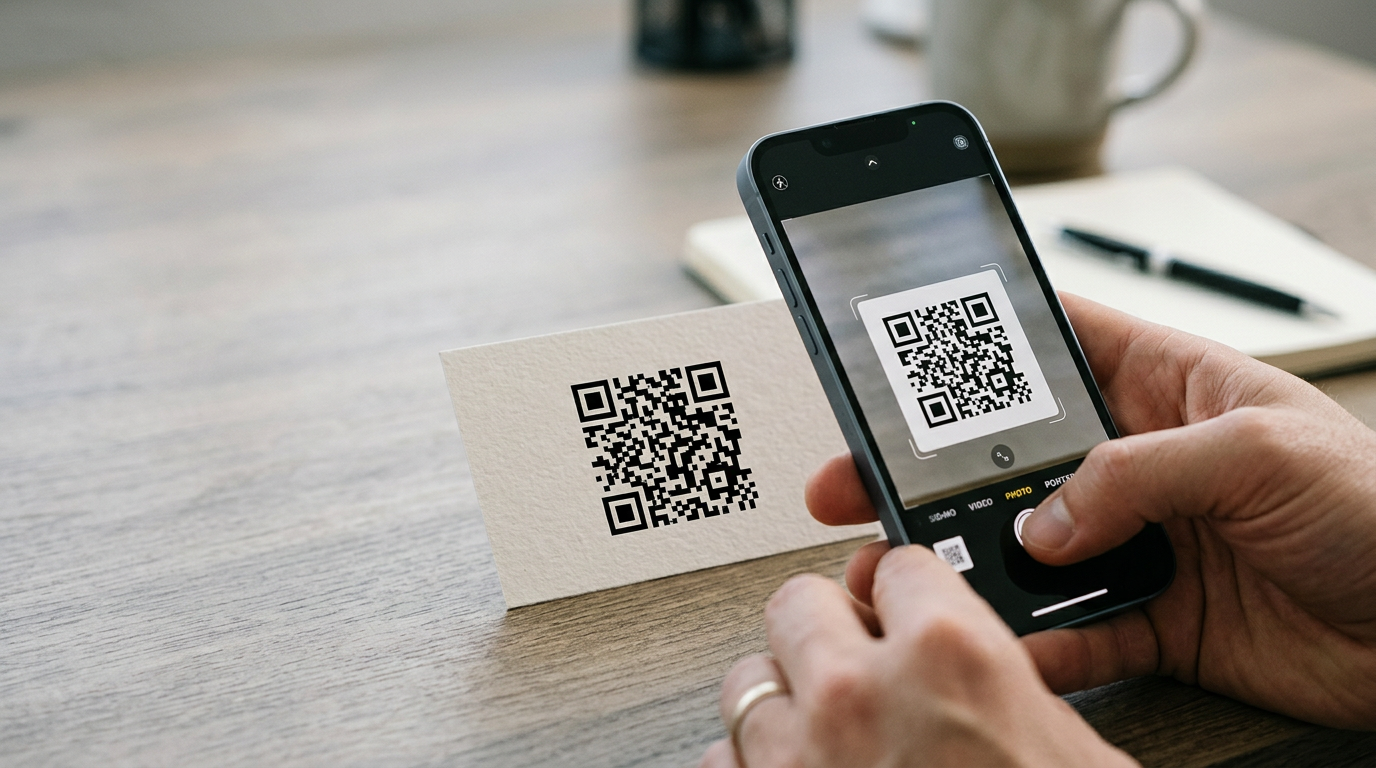
This landing page serves as the routing hub. It holds your immediate contact details, links to your professional social platforms (LinkedIn, X), compliance documentation, and booking calendars. Because this page is hosted centrally, any change to your email address or job title updates immediately for anyone who scans your card, even if the physical card was printed years ago. To properly create a business card, you must prioritize this separation of the data from the delivery mechanism.
Practical rule: Never encode a direct .vcf download into a printed QR code; always route through a dynamic URL that you control so you can update the destination without reprinting physical assets.When configuring the payload, strip the page of unnecessary navigation. A user scanning a card at a conference is in a high-friction environment; they need a single button to “Save to Contacts” and another to “Share Your Details.” If you are exploring Everything You Need to Know About Digital Business Cards with QR Codes, you will find that minimizing clicks between the scan and the contact save is the defining metric of success.
2. Generate the Distribution Layer
Once the payload exists, you must build the bridges to reach it. For in-person interactions, this involves generating dynamic QR codes and native wallet passes. When you make your own business card, relying purely on a web URL is insufficient because it requires the recipient to manually type a domain.
First, generate a dynamic QR code linked to your profile URL. Dynamic QR codes allow the underlying URL to be swapped or tracked for analytics (such as scan volume by location or device type).
Second, provision the card into mobile wallets. Both Apple Wallet (.pkpass) and Google Wallet support generic or loyalty-style passes that can function as business cards. These passes live natively on the user’s lock screen or wallet app, meaning they do not require an internet connection to be displayed. The pass itself displays the QR code, allowing you to present your card directly from your phone’s native interface. Learning How to Create a Digital Business Card with QR Codes: A Technical Deployment Guide demonstrates how wallet integration reduces the failure rate of networking by keeping the pass accessible offline.
3. Design the Physical and Digital Trigger
The visual design of your QR code and any companion physical material determines whether someone will actually interact with it. When you design your own business card, the QR code must be scannable under poor lighting, which means maintaining strict contrast ratios. A dark code on a light background with a minimum quiet zone (the blank space around the QR code) of four modules is required by ISO standards.
Do not overcomplicate the visual field. If you are printing the QR code on a physical NFC card or a standard paper stock, the code should be at least 2cm by 2cm. Placing logos inside the QR code uses up the code’s error correction capability. If the printer smudges or the card scratches, a code with a logo embedded is much more likely to fail than a clean, high-contrast matrix. Understanding How to Design a QR Code Business Card That Actually Scans in 2026 means prioritizing function over heavy branding in the code matrix itself.
4. Implement Analytics and Capture Mechanisms
Networking is bidirectional. If you create your own business card purely to broadcast your information, you are losing half the value. The landing page must include a lead capture mechanism – typically a simple form allowing the recipient to send their details back to you.
This form should integrate directly with your CRM or email provider. When a user scans the code, downloads your contact file, and enters their email into your “Receive Messages” widget, the loop is closed. Furthermore, enabling basic analytics on your landing page allows you to track engagement. You can identify which networking events yielded the most scans, what time of day interactions occurred, and whether users clicked through to your portfolio or stopped at saving your contact number. If you are trying to create your business card for an entire sales team, implementing analytics pixels allows marketing departments to measure the ROI of physical event attendance.
Common Pitfalls & Troubleshooting
The QR code scans but leads to a dead link
- Symptom: The camera recognizes the QR format and opens a browser, but the page returns a 404 or fails to load.
- Diagnosis: The most frequent cause is a printed static QR code pointing to a URL that has been changed, or a dynamic QR code where the subscription to the routing service has lapsed.
- Fix: Verify the destination URL in your routing dashboard. Always use a custom domain for the dynamic link so that even if you change backend providers, you retain control of the routing.
The vCard file downloads but won’t open on iOS
- Symptom: The user taps “Save Contact,” the
.vcffile downloads to their browser, but Apple Contacts does not automatically parse the data. - Diagnosis: The vCard is formatted as version 4.0, which some older iOS iterations or specific mobile browsers struggle to interpret directly from a web download without a specific MIME type configuration on the server.
- Fix: Ensure the server hosting the
.vcffile forces the MIME typetext/vcard. Alternatively, downgrade the vCard format to version 3.0, which offers the widest native compatibility across both Android and iOS environments.
Apple Wallet pass fails to install
- Symptom: Clicking the “Add to Apple Wallet” button results in an error stating the pass is invalid or cannot be added.
- Diagnosis: The
.pkpassfile lacks a valid cryptographic signature. Apple requires all passes to be signed with a valid Apple Developer certificate. - Fix: Regenerate the pass using a platform that handles the developer signing automatically. You cannot manually build a
.pkpasszip file without signing it via the Apple Developer portal.
FAQ
Can I track who specifically scanned my digital card?
No. QR codes are one-way optical triggers. You can track the time, location (via IP address), and device type of the scan, but you cannot extract the user’s personal identity unless they voluntarily fill out a capture form on the destination page.
Do I need a custom app to display my digital card?
No. Native mobile features handle the entire process. Google Wallet and Apple Wallet store the passes natively, and standard smartphone camera apps decode QR codes without third-party applications.
What happens if I change my phone number after printing a card?
If you used a dynamic QR code linking to a hosted profile, you simply update the number on the server. The printed QR code remains exactly the same and will route new scans to the updated profile immediately.
Is NFC better than a QR code for contact sharing?
They serve different environments. NFC requires physical proximity (tapping the phone) and can be finicky depending on where the recipient’s phone antenna is located. A QR code can be scanned from across a table or off a presentation screen. Using both on a single physical card is the standard failsafe.